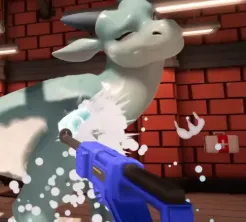
Unofficial headset support

Drag'n Wash VR Mod

Drag'n Wash does not list native VR on official store pages. A community mod on itch.io adds experimental headset play. This page covers ownership, Easy Install ZIP mindset, Steam launch flags, hotkeys, and safety checks—without hosting binaries.

Last reviewed:

Official Game vs Community VR

The shipping game on Steam and itch is a flat single-player simulation with full controller support listed on Steam. Native VR is not part of the official feature set on those store pages. Anything that puts you in a headset is third-party and may break after patches.

The community project lives at the RandomCat4 itch page for the Drag'n Wash VR mod. It is described as using BepInEx 6 beta with UnityVRMod, and it is in development. Always read the mod page’s current instructions—this guide summarizes widely repeated setup notes so you know what to verify.

You must own the game. Mods that require a legitimate Steam or itch install are not a substitute for buying Drag'n Wash. This site will not host mod files or mirrors; link through the itch project only.

Search results that imply “Drag'n Wash VR” is a built-in Steam feature are misleading. Treat headset support as optional community tooling layered onto the same adult simulation, with the usual backup and compatibility caution.

Pre-Install Checklist

Do these before touching game folders.

  1. 1

    Own and launch the base game once

    Confirm a normal flat boot from Steam or itch on Windows. Finish at least one short wash so you know the save folder and Options menus.

  2. 2

    Backup saves and the game directory

    Copy your save slots and consider a full game folder backup. Experimental loaders can fail mid-update.

  3. 3

    Use the Easy Install ZIP from the author page

    Prefer the mod author’s Easy Install ZIP and README on itch. Confirm current BepInEx 6 beta / UnityVRMod requirements against the live game build.

  4. 4

    Plan a rollback

    Know how to remove the loader and verify files on Steam if the mod breaks boot. Keep a non-VR shortcut for comparison.

Launch Flags and Hotkeys

Community setup notes repeatedly mention a Steam launch option of `%command% -force-d3d11`. That flag forces a Direct3D 11 path some Unity VR tooling expects. Set it in Steam’s launch options for the game if the mod documentation still calls for it, then remove or adjust it if the author updates guidance.

While in VR, community notes reference F10 to recenter and F11 to toggle VR. Treat those as mod hotkeys layered on top of the base game, not as official Steam control categories. If they conflict with your rebinds, check both the mod README and in-game Options.

If the mod crashes, the itch page notes a `-force-gfx-direct` tip. Try that only after you confirm ownership, backups, and the primary `-force-d3d11` guidance still match the current README.

Because the mod is in development, expect occasional breakage when Gator Dragon Games patches the base simulation. After any game update, re-read the itch page before assuming yesterday’s install still works.

VR setup quick reference
ItemNote from mod page
OwnershipRequired — buy on Steam or itch
Mod hostitch.io project (not hosted here)
InstallEasy Install ZIP
Loader stackBepInEx 6 beta + UnityVRMod
Steam launch option%command% -force-d3d11
RecenterF10
Toggle VRF11
Crash tip-force-gfx-direct
StatusIn development — expect changes

Safety, Comfort, and SFW Notes

Wash simulations involve close camera work. In VR, start with short sessions, keep recenter handy, and stop if motion comfort drops. Flat Options such as Invert Look Y and Sprayer Reduce Motion still matter as a baseline before you add headset complexity.

The base game is adult-only. VR does not change the content rating—it only changes presentation. This site remains SFW: we discuss install safety and controls, not explicit scenes.

Never install loaders from random reupload mirrors. Prefer the mod author’s itch page, keep antivirus realism in mind with injected runtimes, and do not share cracked copies.

A safe Drag'n Wash VR experiment is one you can undo in five minutes: backups ready, author README open, flat shortcut still working, and no irreplaceable ending save left only inside a modded directory.

When Not to Use VR Yet

Skip the mod until you can finish washes cleanly in flat mode. Debugging a missed dirt spot is harder when you are also debugging a loader. If you are mid-ending hunt with precious saves, finish those routes before experimenting.

Also wait if a fresh game patch just dropped and the mod page has not confirmed compatibility. Official three-ending progress is easier to protect with a stable flat install.

If you came here only to learn whether headset support is official, you already have the answer: it is not listed on the store pages. Bookmark the community Drag'n Wash VR mod page for later, then return to flat guides until your saves and comfort settings are steady.

VR Boot Troubleshooting Mindset

When headset play fails, isolate layers instead of reinstalling everything at once.

A broken Drag'n Wash VR mod boot is usually one of four layers: base game update mismatch, loader install drift, launch-option mismatch, or headset runtime not ready. Change one layer at a time and keep the flat shortcut as your control test.

If the flat game still launches, your saves and ownership are fine—focus on the mod README, `%command% -force-d3d11` if still required, then `-force-gfx-direct` only if crashes persist, and whether F10/F11 even load. If flat boot also fails after folder edits, verify Steam files or restore the backed-up game directory before touching the headset stack again.

Quick isolation order

Work top-down so you do not chase headset drivers for a missing BepInEx file.

  • Confirm flat boot with a non-VR shortcut
  • Re-read the itch README for the current game build
  • Check the Steam launch option against current docs
  • Try the documented crash tip only after the primary flag
  • Only then test recenter/toggle hotkeys in a short session

Sources

Primary references used for this page. Official store facts and patch notes are separated from itch comment troubleshooting.

Prefer these pages when a patch changes options, softlock behavior, or mod install steps. Label community comments as player reports until an official note confirms them.

Common questions

Frequently Asked Questions

Is there official VR for Drag'n Wash?

No native VR is listed on official Steam or itch store pages. Headset play currently means a community mod.

Where do I get the VR mod?

From the RandomCat4 itch.io project page for the Drag'n Wash VR mod. Prefer the Easy Install ZIP. This site does not host binaries.

What is the Steam launch option used for?

Community setup notes use `%command% -force-d3d11` to force Direct3D 11 for the VR tooling stack. Confirm against the current mod README.

How do I recenter in VR?

Community notes list F10 to recenter and F11 to toggle VR. Verify on the mod page if hotkeys change.

The mod crashes—what else can I try?

After backups and the primary launch flag, the mod page notes a `-force-gfx-direct` crash tip. Re-read the README after any game update.

Continue exploring

Related Guides