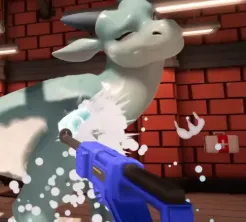
Does Drag'n Wash support mods officially?
Official store pages sell the base flat game. Community mods are third-party. Always read the mod author’s terms and requirements.
Mods & safety
A practical overview of Drag'n Wash mods: common mod types, what to check before installing anything, compatibility habits, and how VR mods differ from other community tools.
Last reviewed:
Drag'n Wash ships as a flat single-player simulation on Steam and itch. Community mods are optional add-ons maintained by third parties. They can change visuals, quality-of-life behavior, or—separately—headset play.
Always own a legitimate copy of the game, open the mod author’s original release page, and read the current version notes before you change any files. Prefer sources that clearly state requirements and update status.
Because patches can break loaders overnight, treat every install as reversible: back up save folders and the game install before you edit anything.
Players usually look for a few broad categories: comfort or accessibility tweaks, visual or camera helpers, translation or UI helpers, and experimental framework mods that other tools depend on.
VR support is its own category. Native VR is not listed on the official store pages, so headset play depends on a community project with its own installer notes and risk profile.
If a listing cannot show a clear author page and changelog, skip it. Avoid random mirrors and unlabeled archives.
Confirm you own the game on Steam or itch and that the mod targets your current build. Check the mod source and version notes for OS support, loader requirements, and known breakages.
Copy your saves somewhere safe. If the tool edits game folders, keep a clean backup of those folders too. Prefer installers or archives that you can remove without hunting random files.
Run the unmodified game once after a patch before layering mods again. That single clean boot makes it obvious whether a new crash belongs to the update or to a leftover plugin.
Follow the author’s install order, loader version, and launch options. Do not assume yesterday’s guide still matches today’s archive.
Store a dated copy you can restore if the boot fails or a plugin conflicts with another tool.
Add a single mod or loader step, then boot. Stacking five changes before the first test makes troubleshooting guesswork.
Confirm menus, a wash visit, and save/load still work before you invest in a long route.
Most failures come from mismatched loaders, leftover files after a game update, or two tools editing the same hook. Remove the newest change first, then re-test.
If the game boots clean without mods but fails with them enabled, disable community plugins before filing a bug with the base game. Keep official troubleshooting separate from mod support channels.
For stuck states that happen in the base game—clean-bar leftovers, geometry traps, or request-order softlocks—use the escape guide. Those issues are not automatically “a mod broke it.”
VR mods change how you view and move through the same adult simulation. They usually need extra launch flags, recenter hotkeys, and stronger comfort caution than a simple QoL plugin.
Follow the dedicated VR mod guide for setup and safety, and keep this page focused on general modding habits.
If you only want flat play, you can ignore VR tooling entirely. Nothing in the official feature set requires a headset.
Common questions
Official store pages sell the base flat game. Community mods are third-party. Always read the mod author’s terms and requirements.
Use the mod author’s original release page after you own the game. Prefer pages with clear version notes, and avoid unlabeled mirrors.
Only at a high level. Detailed setup, flags, and comfort notes live on the dedicated VR mod guide so that page can stay specific.
They can. Check the mod source and version notes after every game patch, keep backups, and reinstall only what still matches your build.
Continue exploring